> ## Documentation Index
> Fetch the complete documentation index at: https://docs.jiekou.ai/llms.txt
> Use this file to discover all available pages before exploring further.
# 项目管理
“项目” 是 Cloud Code 的核心组织单元。每个项目对应一个独立的云端沙箱环境,拥有独立的 Claude Code 环境、文件系统等资源。
## 创建项目
在侧边栏点击 **+ 新建项目** 按钮
输入项目名称(例如:`my-first-app`)
项目名称建议使用英文字母、数字和连字符,避免使用特殊字符。
点击 **创建项目** 按钮
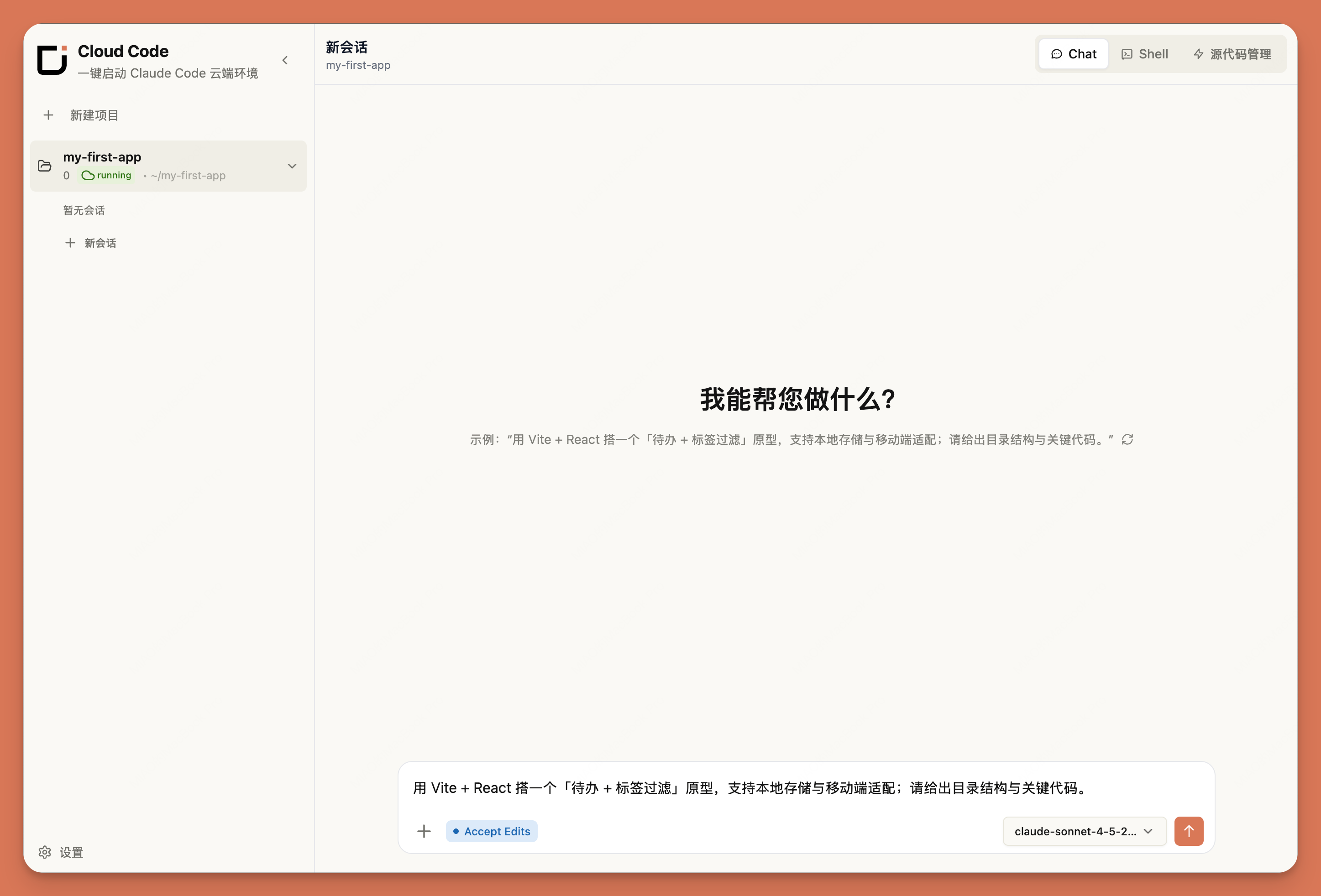 ## 项目状态
创建项目后,Cloud Code 会自动为该项目配置云端沙箱环境。项目会经历以下状态:
| 状态 | 图标 | 说明 |
| ------------ | ---------------------------------------------- | ------------ |
| **creating** | | 正在初始化云端沙箱 |
| **running** | | 沙箱已就绪,可以开始使用 |
| **error** | | 沙箱运行异常,请稍后重试 |
## 管理项目
请注意:删除项目会永久删除所有文件和会话历史,此操作不可撤销。请确保已备份重要数据。
点击左侧边栏中的项目名称即可切换
点击指定项目右侧的删除图标即可删除项目
点击指定项目右侧的修改图标即可修改项目名称
## 相关文档
管理项目中的会话
管理项目中的文件
版本控制与代码备份
## 项目状态
创建项目后,Cloud Code 会自动为该项目配置云端沙箱环境。项目会经历以下状态:
| 状态 | 图标 | 说明 |
| ------------ | ---------------------------------------------- | ------------ |
| **creating** | | 正在初始化云端沙箱 |
| **running** | | 沙箱已就绪,可以开始使用 |
| **error** | | 沙箱运行异常,请稍后重试 |
## 管理项目
请注意:删除项目会永久删除所有文件和会话历史,此操作不可撤销。请确保已备份重要数据。
点击左侧边栏中的项目名称即可切换
点击指定项目右侧的删除图标即可删除项目
点击指定项目右侧的修改图标即可修改项目名称
## 相关文档
管理项目中的会话
管理项目中的文件
版本控制与代码备份